



Contents: Disassembly ↓ Checking carbon brushes and brush…↓ Checking the rotor ↓ Stator check ↓ Diode control ↓
Disassembly
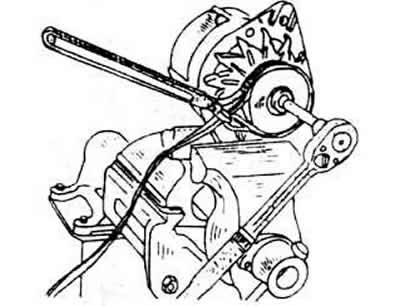
Unscrew the nut from the rotor shaft and pull the belt pulley, fan and spacer off the shaft. During disassembly, the shaft can be supported by wrapping an old V-belt around the pulley and clamping it in a vice. A two- or three-arm puller is required to remove the belt pulley. Make sure the built-in belt pulley matches the appropriate motor.
Remove the woodruff key from the shaft.
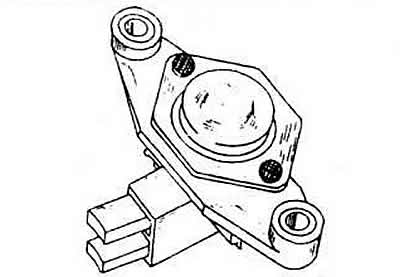
Unscrew the regulator together with the brush crossbar and remove it.
Mark the drive bearing shield and the housing opposite it and unscrew both tension bolts from the housing, detach the rear bearing cover from the front. To do this, you can lightly tap the front cover with a plastic hammer.
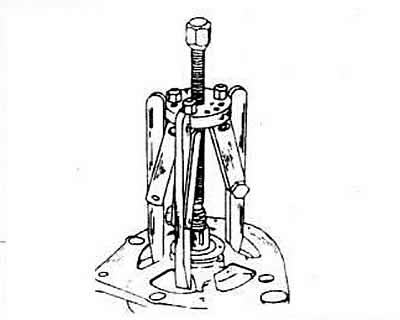
Place the bearing shield and rotor under the press and remove the rotor using the three-arm puller. The bearing support plate screws will pull out as soon as the rotor is pressed out. Therefore, be sure to ensure that the three arms are positioned under the bearing support plate and not just under the bearing shield. If it is necessary to remove the bearing from the shield, loosen the screws from the inside and press the bearing out immediately.
Press the bearing off the end of the rotor contact ring. If you need to use a removal tool, slide it under the inner bearing ring.
Unsolder the diode stand from the stator. To do this, grasp the wires in the solder zone between the stator and the soldering iron with pliers, which will thereby ensure heat dissipation; the diodes should not overheat.
Rectifier diodes should only be removed if the appropriate equipment and professional skills are available.
Checking carbon brushes and brush crossbar
Check the quality of contact between the carbon brushes and the contact rings. Check the mobility of the carbons in the brush guides, if necessary, clean the brush holder with trichloroethylene.
If the protruding end of the brush has worn down to 5 mm, you need to season a new brush. Use a ruler to measure.
Checking the rotor
If the contact rings are dirty or greasy, wipe them with a cloth soaked in trichloroethylene. If there are scratches, polish them with the finest sandpaper.
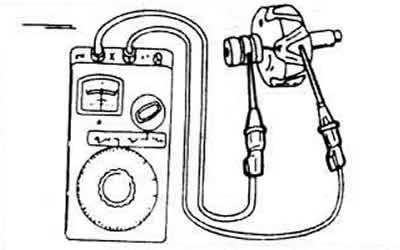
To check the insulation, place one ohmmeter test probe on the rotor core and the other on the slip rings. If the indicator does not show "infinite" the rotor must be replaced.
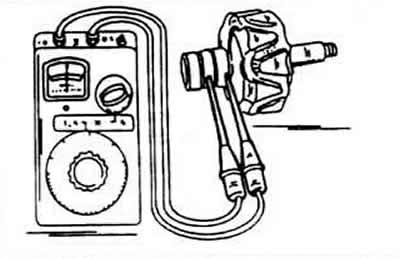
To check the current flow through the rotor winding, take both probes to the contact rings. The indicator should show 12.8-3.0 ohms. If the indicator shows "infinite", the electrical circuit is open, otherwise there is a short circuit, in case of either of the two faults, replace the rotor.
Stator check
Most often, in the case of a short circuit, the location of the damage can be determined by external inspection (it's very hot). Or you can place one ohmmeter test probe on the collector ring and alternately apply the other probe to the four stator wires.
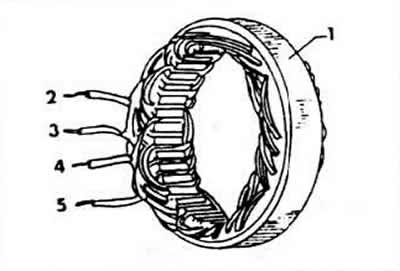
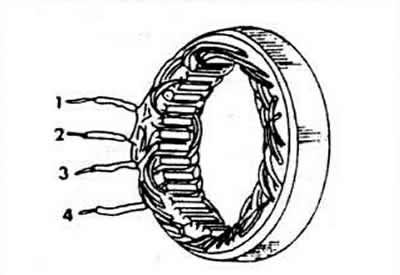
The device should show "infinite". To check the stator current flow, connect four stator cables in pairs one by one. If the indicator reading does not match the specified value, the current flow is disrupted. The resistance value should be 0.10-0.11 Ohm.
Diode control
It is possible to precisely control the consumption of the diodes of the transmission voltage and determine the reverse current only with the help of a special control device. This control must be carried out in the workshop.
Visitor comments