



Instructions: When removing and installing elements that are in the field of vision (switches, covers, paneling, etc.), seal the places where the tool, wedge -VAS 3409-, screwdriver, etc. are used with regular tape.
Removal and installation the switch for deactivating the interior security "E267"
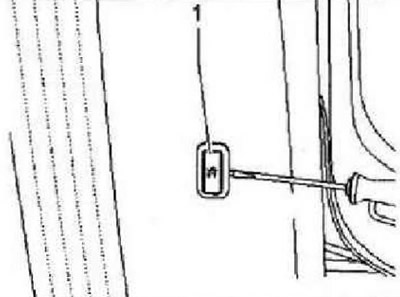
Instructions: To remove the switch for deactivating the interior security E267, it is necessary to deactivate the anti-theft system. The switch for deactivating the interior security "E267" is located in the trim "B" of the pillar on the driver's side.
Switch off the ignition and all electrical consumers, remove the ignition key. Carefully pry off the interior security system switch "E267" "1" with a wedge -VAS 3409- or a screwdriver.
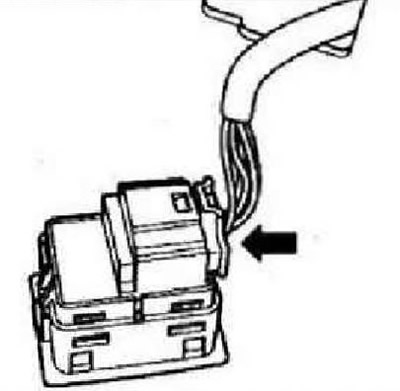
Unlock and disconnect the "arrow" connector. Remove the switch.
Installation is carried out in reverse order.
Light and switch in the engine compartment
Removal and installation the hood limit switch "F266"
Turn off the ignition and all electrical consumers, remove the ignition key. Remove the hood lock.
Instructions: The cable does not need to be disconnected from the lock.
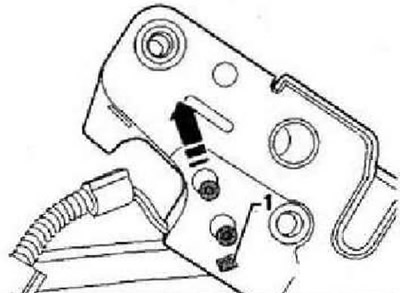
Unlock the lock "1" and move the bonnet contact switch "F266" in the direction of the "arrow". Remove the contact switch from the bonnet lock. Installation is carried out in the reverse order.
Front panel lights and switches
Removal and installation the light switch-E1-
The following components are installed in the "E1" light switch:
- Fog light switch "E7"
- Rear fog light switch "E18"
- Light switch illumination lamp "L9"
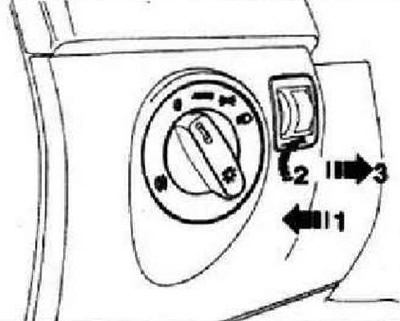
Switch off the ignition and all electrical consumers. Turn the handle of the light switch to the "0" position. Press the rotating handle inward "arrow 1" and turn it slightly to the right "arrow 2". Hold the handle in this position and remove the light switch by the handle from the front panel "arrow 3".
Unlock and disconnect the "arrow" connector.
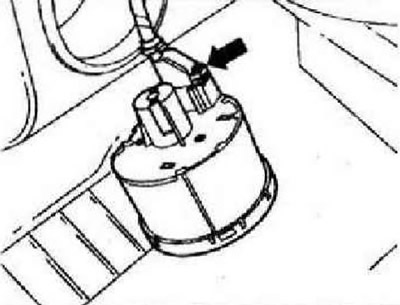
Installation
Insert the plug connection into the switch. Hold the light switch and press the handle of the light switch "arrow 1" and turn it slightly to the right "arrow 2".
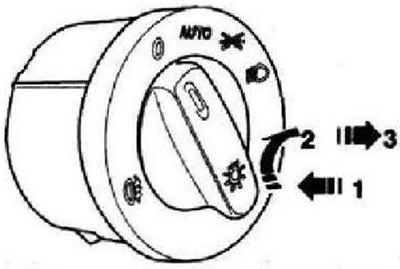
Hold the handle in this position and install the light switch into the front panel. Turn the rotary handle to the "0" position, release it and lock the switch.
Removal and installation of the instrument panel backlight regulator and switches "E20" and the headlight corrector regulator "E102"
Instructions: Depending on the configuration, only the instrument and switch backlight regulator or a combined unit with a headlight corrector regulator is installed. Removal and installation of both components is carried out in the same way.
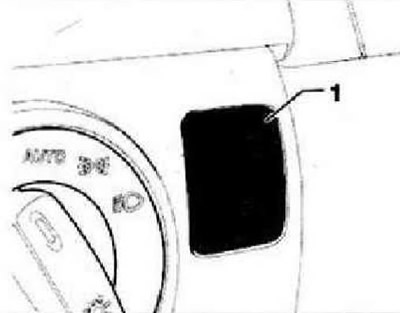
Turn off the ignition and all electrical consumers. Carefully press the instrument lighting and switch regulator "1" using a wedge from the front panel.
(The original article is posted on the website: VWmanual)
Unlock and disconnect connector "1" and remove the instrument lighting and switch regulator "2".
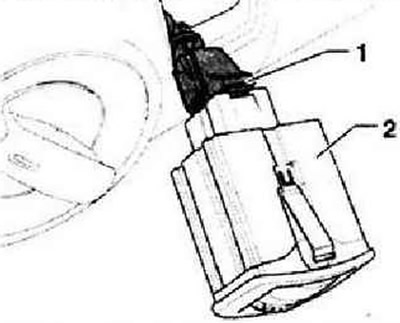
Installation is carried out in reverse order.
Removal and installation glove box lighting "W6"
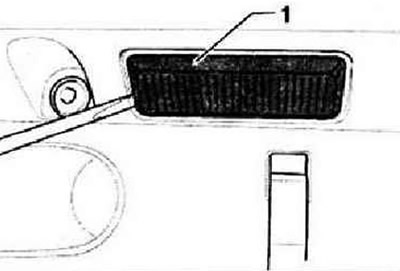
Switch off the ignition and all electrical consumers. Carefully pry off the diffuser "1" using a wedge -VAS 3409- or a screwdriver.
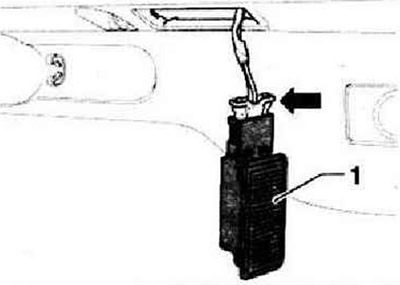
Disconnect the "arrow" connector and remove the glove compartment light "1".
Installation in reverse order. Check the operation of the glove box light switch. When the lid is closed, the glove box light should be off.
Replacing the Glove Box Light Bulb "W6"
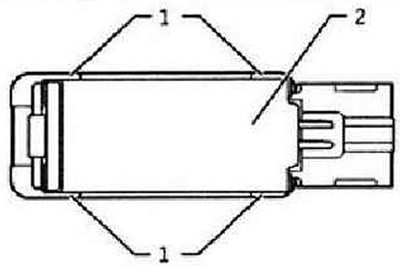
Remove the glove compartment light "W6". Unlock the fasteners "1" and remove the heat-insulating screen "2" from the lamp diffuser.
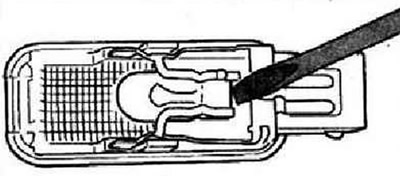
Carefully remove the bulb from the socket. Replace the bulb with a glass base (12V, 3W).
Installation in reverse order. Check the functionality of the glove compartment lighting.
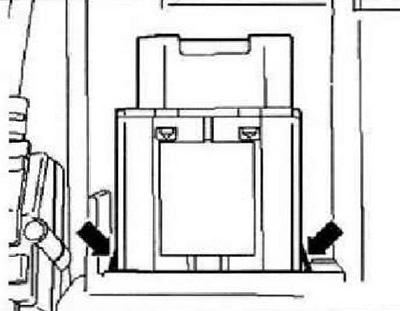
Removal and installation the glove box light switch "E26"
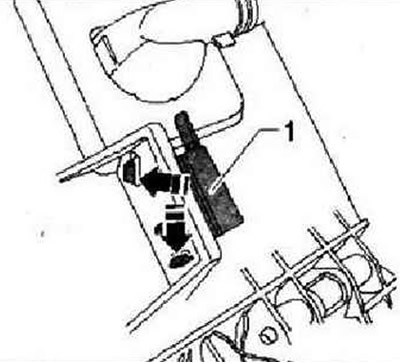
The glove box light switch is located on the back of the glove box. Switch off the ignition and all electrical consumers. Remove the glove box. Unlock the "arrow" latches and remove the glove box light switch "1".
Installation is carried out in reverse order.
Removal and installation of the front passenger airbag deactivation indicator lamp "K145"
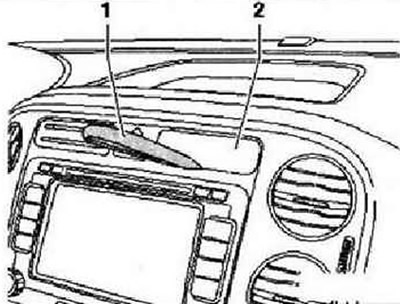
Instructions: The front passenger airbag indicator light is located in the middle of the dashboard, above the radio.
Switch off the ignition and all electrical consumers. Insert the wedge -VAS 3409- "1" in the middle under the front passenger airbag off indicator lamp "K145" "2". Hit the wedge -VAS 34G9- with your palm to unlock the indicator lamp latches.
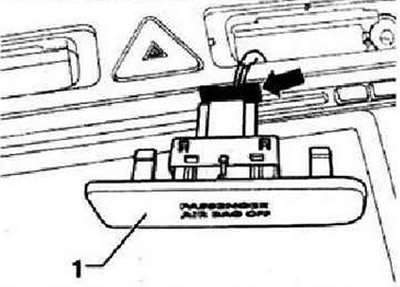
Disconnect the "arrow" connector and remove the control lamp "1".
Installation is carried out in reverse order.
Removal and installation the hazard warning switch "E3"
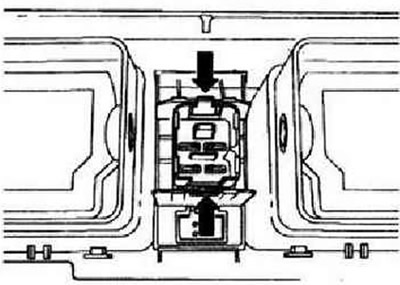
Turn off the ignition and all electrical consumers. Remove the central deflector. Disconnect the "arrow" connectors.
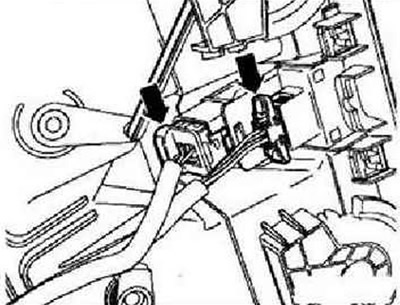
Unlock the "arrow" latches and remove the hazard warning light switch.
Installation is carried out in reverse order.
Left footwell light "W9" and right footwell light "W10" - removal and installation
Instructions: The illustrations show the removal and installation of the right-hand footwell light. The removal and installation of the left-hand footwell light is similar. The removal and installation of both footwell lights is similar, so the description is given for only one light.
Switch off the ignition and all electrical consumers. Press the footwell light out of the trim under the instrument panel using a wedge -VAS 3409- or a screwdriver.
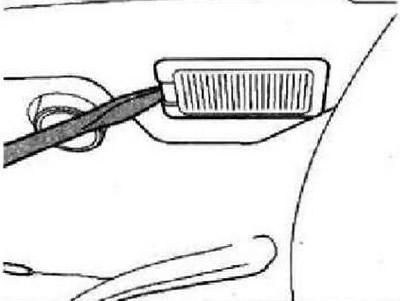
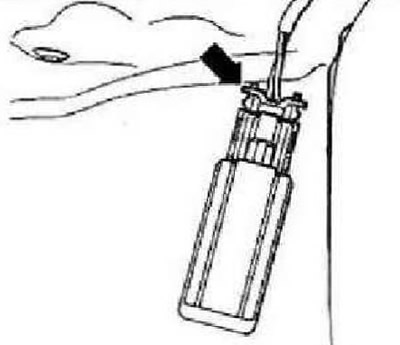
Disconnect the "arrow" connector.
Installation is carried out in reverse order.
Removal and installation the switch with a lock to disable the front passenger airbag "E224"
Caution: Observe safety precautions when working with the airbag.
Turn off the ignition and all electrical consumers. Remove the glove box. Disconnect the "arrow" connector.
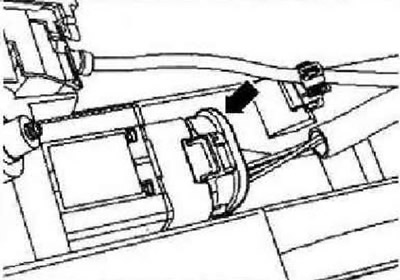
Remove the "arrow" latches and remove the switch lock.
Installation is carried out in reverse order.
Visitor comments