



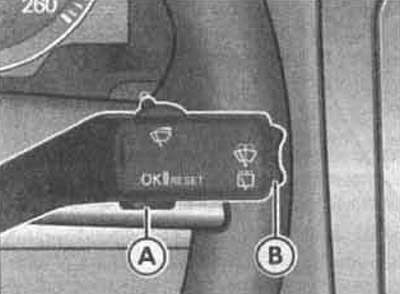
The windshield wiper and washer lever B with the on-board computer control button A is shown in the illustration.
The on-board computer has two automatically operating memory devices:
- storing information on individual trips;
- storing information on the total mileage.
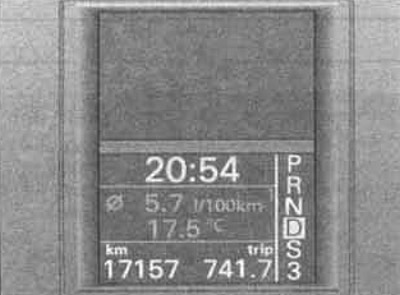
See the illustration for the outside air temperature display on the instrument panel.
Selecting a storage device
With the ignition on, quickly press button A on the steering column stalk to select the desired device.
Deleting information from the memory
Select the desired device and hold down button A on the steering column stalk for at least two seconds.
In the memory 1, from the moment the ignition is turned on until the moment it is turned off, information about the trip and fuel consumption is stored.
If movement continues within two hours after the ignition is turned off, the new information is added to the previous one.
If the break lasts more than two hours, the data will be deleted.
(The original can be seen on the portal vwmanual.ru)
ZU 2 accumulates all data on any number of trips (also when the ignition is off for more than two hours) up to reaching the total values of 99 hours and 59 minutes of vehicle movement, 9999 km of mileage and 999 liters of fuel consumed. When the limit of one of the named values is exceeded, the data is automatically deleted.
Indications
Using the B button on the steering column stalk, you can display the following computer readings:
- trip duration. Shows the time since the ignition was turned on;
- average speed of movement. The average speed of movement indication appears after the first 100 m of the journey;
- distance;
- fuel range;
- average fuel consumption.
Visitor comments