




2. Press "08" to select the "Read measured value block" function and confirm by pressing the "Q" button. The display should show the following information:

3. Select the desired group. Press "002" to select "Display Group 2" and confirm with the "Q" button. The display should show the following information:

Check the accelerator pedal position in field 2. The pedal should not be pressed and the display should show 0.0%.
4. Press the pedal all the way down and observe field 2 of the display. The display should show the following information:

The percentage of pressing the accelerator pedal should increase gradually. The display should show 100%.
The original article is posted on the website: www.VWManual.ru
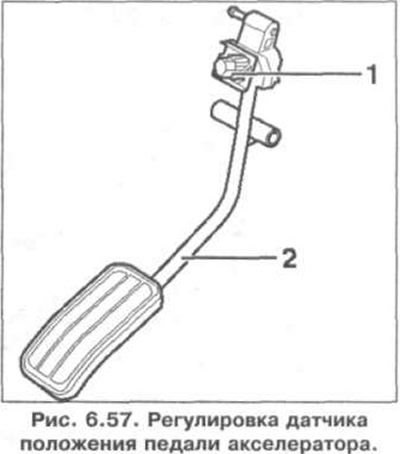
5. If necessary, adjust the position of the accelerator pedal 2 by turning the adjusting screw 1 so that the pedal is not pressed (was in a free state) at idle speed and on the display the value 0.0% was indicated, and when the accelerator pedal was fully pressed the value 100% was indicated on the display (Fig. 6.57).
Visitor comments