



IBIZA
Removal
Remove the radio and glove compartment or, accordingly, remove the navigation system unit.
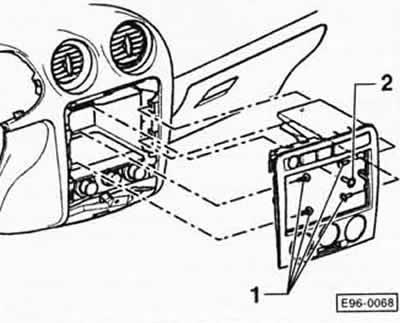
Remove the -1/2- screws and, if necessary, remove the lower screws as well.
Pull the radio console/heating control unit cover back, disconnect the switch plugs and remove the cover.
Installation
Installation is carried out in reverse order.
POLO
Removal
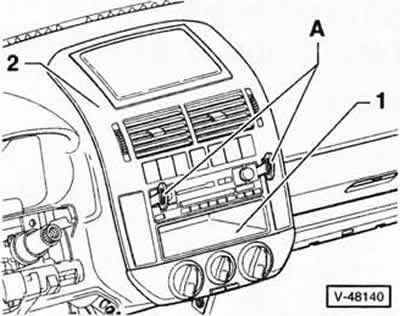
Note: For clarity, the instrument panel in the figure is shown with the steering wheel removed.
Insert the VW "A" pullers into the slots on the radio and remove the radio from the mounting niche, see chapter "Removal and installation radio".
Remove glove compartment "1". 2 - radio console/heating system control unit trim.
Note: For vehicles with a navigation system, remove the navigation system unit instead of the radio and glove compartment.
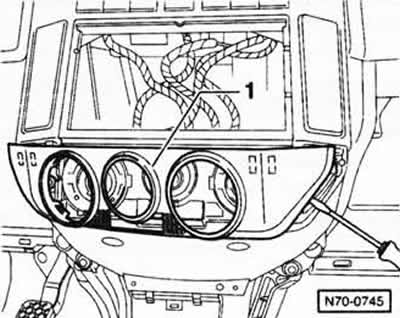
Using a screwdriver, carefully press out cover plate "1" of the heating system control panel. You do not need to remove the rotary switches for this.
Note: To avoid damage, place a pad under the screwdriver.
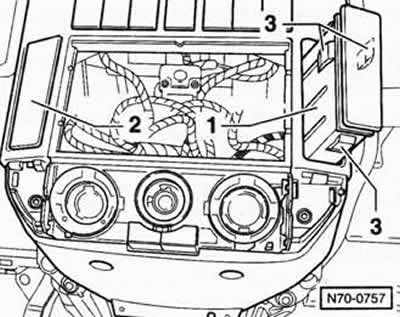
Press in the locking plates "3" and remove the drink container holder "1" from the instrument panel.
Unfasten the cover plate "2" on the left.
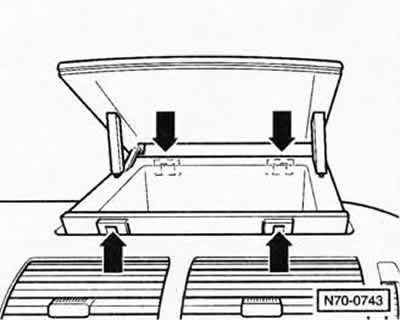
Release the locking plates of the "arrow" and remove the glove box from the dashboard with an upward movement.
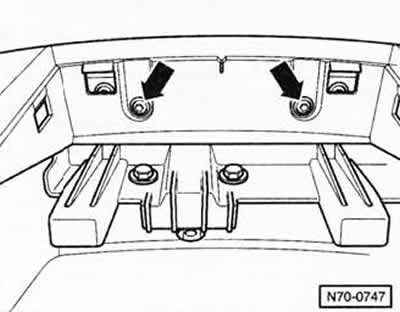
Remove the 2 "arrow" screws in the glove compartment mounting niche.
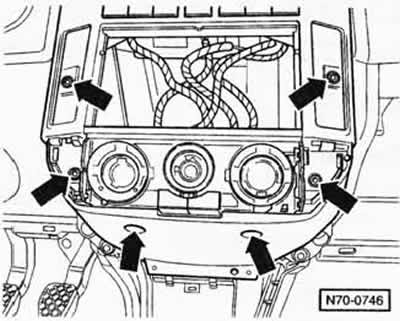
Remove 6 "arrow" screws.
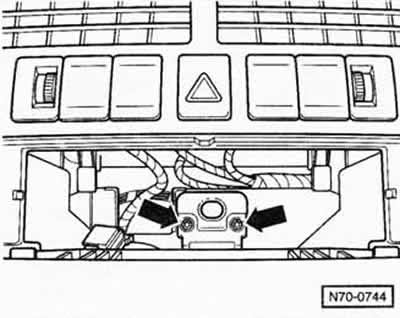
Unscrew the 2 "arrow" screws and pull the radio console/heating system control unit cover back a little.
Disconnect the plug connectors of the switches and remove the radio console/heating system control unit cover together with the blower from the instrument panel and remove.
Installation
Installation is carried out in reverse order.
Visitor comments