



Contents: Possible options for meter indication ↓ Travel time ↓ Average speed ↓ Distance traveled ↓ The distance that can be traveled on…↓ Average fuel consumption ↓ Instantaneous fuel consumption ↓
The MFD has a window that displays two groups of numbers, one of which is the total mileage counter of the vehicle since the start of operation. The second group of numbers (on the right, marked with the word "TRIP") displays two trip meters that alternate when shifting.
The trip meters are linked to the fuel consumption meter and the clock.
Counter 1 is the trip odometer for a single trip. Activation of this counter is indicated by the number "1" located in the upper right corner of the fuel consumption and outside temperature window.
The trip meter (1) sums up the total mileage and fuel consumption values from ignition on to ignition off. If the trip continues within 2 hours after the ignition is turned off, the trip is considered uninterrupted, that is, the counter continues to summarize the mileage data.
To reset the trip counter to zero, press and hold button (A) for 2 seconds (see Figure 6).
Counter 2 sums the values of the following quantities between memory clearing actions at the specified intervals:
- total travel time - up to 99 hours and 59 minutes;
- total mileage - up to 9999 km;
- total fuel consumption - up to 999 liters.
Activation of this counter is indicated by the number 2.
When one of the specified limit values is reached, the counter is automatically set to zero.
Possible options for meter indication
MFD can display the following values:
- travel time;
- average speed;
- distance traveled;
- the distance that can be traveled on the available amount of fuel;
- average fuel consumption;
- instantaneous fuel consumption.
Travel time
Counted from the moment the ignition is turned on. The maximum displayed value is 99 hours 59 minutes. Once this value is reached, the time is automatically reset to zero.
Average speed
Average speed is determined after the first 100 meters of travel. The value is updated every 5 seconds.
Distance traveled
Mileage during a single trip from the moment the ignition is turned on. Maximum value: 9999 km. Once this value is reached, the indicator automatically resets to zero.
The distance that can be traveled on the available amount of fuel
It is indicated by the km icon.
Calculated based on instantaneous fuel consumption and the amount of available fuel, provided the driving style is maintained.
The original article is available on the website: VWMANUAL
Average fuel consumption
Allows the driver to evaluate the fuel efficiency of the driving style on a given trip.
It is indicated on the display as 01/100 km (see figure 7).
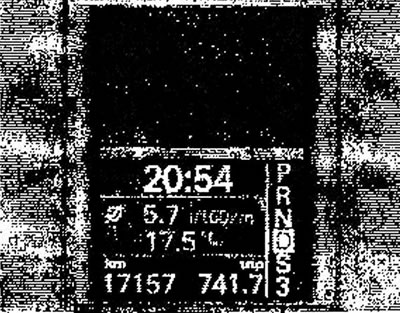
Figure 7. The display shows average fuel consumption and ambient temperature in the multi-function window
The value is determined after the first 100 meters of travel and is updated every 5 seconds. Before the first 100 meters, dashes appear in place of the numbers. Total fuel consumption is not displayed.
Instantaneous fuel consumption
Shows instantaneous fuel consumption while driving and parked (with the engine running), respectively.
Allows the driver to adjust their actions during acceleration and in other driving modes.
It is indicated on the display as 1/100 km or l/h. Instantaneous consumption in l/h is displayed when the vehicle is stationary with the engine running.
Visitor comments